
Your audio Multitrack Player with no install, no sign-up, no hassle.
Real situations from people who teach or learn music with the wrong tools.
Your students need to practice slowly, but any regular player distorts the pitch when it slows down.
You make do with what you have, but you're missing track control, mute, solo, and everything a musician actually needs.
You teach online but send students off to external platforms. You lose control, the experience, and the credibility.
In the rehearsal room, in the studio, at home with no wi-fi — any cloud-based player becomes a problem.
The student wants to hear just the bass, or just the drums, but the track plays everything together and they get lost in the arrangement.
Without being able to hear each instrument on its own, beginner students struggle to understand their own role within the music.
A tool designed from the learner’s point of view, not just the teacher’s
No sign-up, no app, no download. The mixer is already on the page, ready to use on phone, tablet, or computer.
With one click on Mute or Solo, the student silences the other instruments and hears only the track they need to understand.
Reduces the tempo to analyze every detail of the performance, without going out of tune, without distortion. At the pace learning requires.
With Loop enabled, practice the tricky passage as many times as needed. Total control, real autonomy.
“More than a tool, STUDIOLITE is an invitation to take control of your own learning, master the details, and build a solid musical foundation. On your time, your way.”
This is how STUDIOLITE Pro runs on your WordPress site, with the simple shortcode, and no configuration required.
Click on PROJECTS and see STUDIOLITE in action. Interact with the features available in Study Mode.


Clique no nome para editar
↕ Arraste para reordenar
Nenhuma trilha carregada.
Selecione um projeto da lista 📂
Study Mode.
Just insert the shortcode into a page or post
Select the audio files, customize the track title, record in real time, save and edit your projects.
 Free
FreeNenhuma trilha carregada.
Clique em Selecionar Arquivos para começar.
Available in the store and on the WordPress.org repository
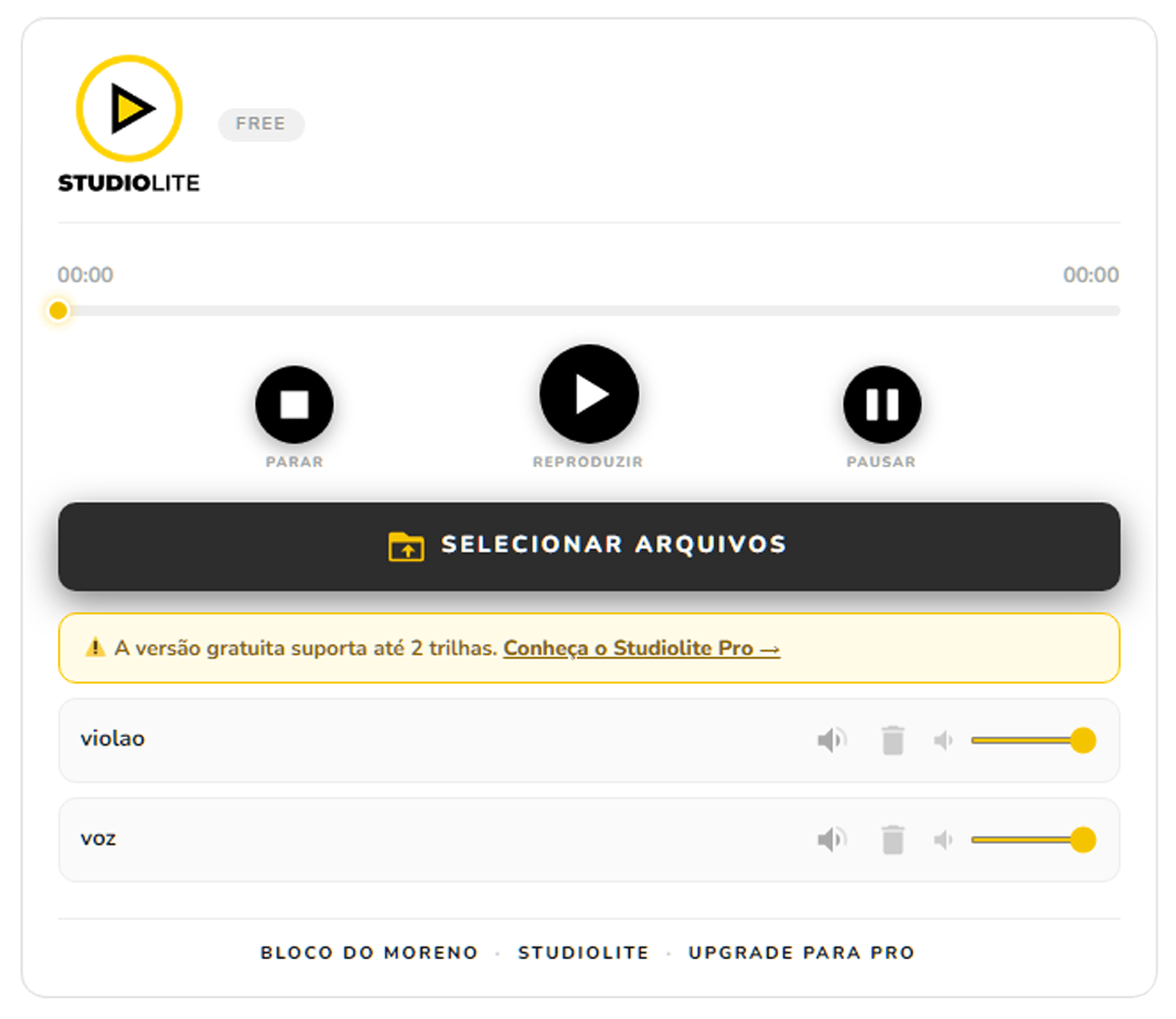
Limited features, but with the same ease and convenience.
Silence any track or listen to just one. The student studies the instrument they need, with no interference from the others.
Free & Pro
Real-time SoundTouch technology. Practice slowly, analyze every detail of the performance — without going out of tune.
Free & Pro
Load drums, bass, guitar, vocals and more. Individual volume per, track, solo, mute, and drag to organize.
Free up to 2 Pro unlimited
Repeat a passage as many times as needed with Loop. Restore all tracks at once with Reset.
Pro
Zero dependence on the internet. Runs right on the device — in the rehearsal room, in the studio, anywhere.
Free & Pro
Record the audio output in real time directly in the browser, no extra software needed.
Pro
Save full sessions to the server. Open, edit, and share them whenever you want.
Pro
A professional interface that adapts to the user. Preference saved automatically.
Pro
Set who can see each project: public, logged-in users, subscribers, editors, or admins only.
Pro
Filter projects by class or instrument. Study mode shows only the projects the teacher has selected.
Pro
Drag audio files straight into the WordPress panel. No technical setup required.
Pro
From the teacher who teaches to the student who practices.
Build backing tracks by class, control student access, and teach at your own pace — literally.
Share arrangements with the band, practice playbacks at an adjusted speed without losing pitch or tempo.
Isolate the instrument you need to study, slow it down without going out of tune, and practice at your own pace, without depending on anyone.
Player profissional integrado ao seu site. Controle de trilhas, mute, solo e gravação da mixagem — sem depender de plataformas externas.
Player multitrack
Maximum number of tracks
2 tracks
Unlimited
Play, Pause, Stop
Mute and delete per track
Individual volume control
Progress bar with seek
Fully responsiveo
100% offline
EXCLUSIVE PRO FEATURES
Drag-to-reorder tracks
Speed control without changing pitch
Loop and Reset
Master volume with global control
Real-time mix recording
Save and open projects
Dark & Light mode
Role-based access control
Study mode (shortcode)
Filter projects by category
Drag & drop upload in the admin panel
Drag & drop upload in the tracks panel
Technical support
No coding needed. If you’ve ever installed a WordPress plugin, you already know how to do this.
After purchase, you’ll receive the Studiolite Pro .zip file by email.
Go to Plugins → Add New → Upload Plugin, select the .zip file, then click Install and Activate.
Insert the shortcode into any page or post, and the mixer appears right away for your visitors.
Cancel anytime. Seven-day guarantee. No surprises.
7-day guarantee. Full refund if a feature is missing, malfunctioning, or an unresolved issue.
No. Install it like any WordPress plugin: download the .zip, go to Plugins → Add New → Upload Plugin. Done. No code required.
Yes! Studio Lite is fully responsive and works on any device — phone, tablet, or desktop — in all major browsers: Chrome, Firefox, Edge, and Safari. The only exception is mix recording, which relies on a browser feature (MediaRecorder API) that still has limited support in Safari. For recording, we recommend using Chrome or Firefox.
No. All audio processing happens right on the user’s device. It works 100% offline — in the rehearsal room, in the studio, anywhere.
The Monthly and Annual plans allow 1 WordPress site. The Lifetime plan allows installation on unlimited sites.
The plugin keeps working normally on your site. You just stop receiving new updates and technical support until you renew your license.
The free version allows up to 3 tracks with basic controls (play, pause, stop, mute, solo, volume). Pro unlocks unlimited tracks, speed control without changing pitch (SoundTouch), recording, saved projects, role-based access control, study mode, category filtering, and much more.
Yes. Studio Lite loads via shortcode and works with any WordPress theme that supports shortcodes — which covers the vast majority of available themes.
During an active license period, you’ll get a notice in the WordPress dashboard whenever an update is available. Just click “Update,” like any other plugin.
Yes! With Pro, you create projects in your dashboard and control who can access each one — public, logged-in users only, subscribers, etc. Use study mode and category filtering to organize by class or level.
STUDIOLITE was born in the percussion workshop, where several instruments play distinct, often complex musical patterns. This created the need for a support tool that would let students hear each instrument in isolation, better understanding its notes and arrangement.
The idea is to make musical learning easier by helping students understand each instrument’s role within the music. This way, students can study with more clarity and comfort, without interference from the other instruments — something that’s often a real challenge, especially for beginners.
STUDIOLITE also lets you control the playback speed, enabling a detailed analysis of each performance and supporting more precise, progressive learning.
More than a tool, STUDIOLITE is an invitation to take control of your own learning, master the details, and build a solid musical foundation. On your time, your way.
Moreno – Percussion workshop teacher.